Best Accounting Software Benefits for Growing Businesses
Best Accounting Software Benefits for Growing Businesses
I ran my own small design studio for nearly three years on a color-coded spreadsheet, a shoebox of receipts and a lot of hope. It worked, sort of, right up until tax season, when I’d lose an entire week reconstructing invoices I swore I’d filed properly. The year I finally switched to proper accounting software, that same task took an afternoon. Not because I suddenly got organized, but because the software did the organizing for me.
That’s really the whole story with accounting software for growing businesses: it doesn’t just track numbers, it quietly removes the chaos that comes with scaling. If your business is at that stage where spreadsheets feel like they’re barely holding together, it’s usually a sign to look at proper software development support before the cracks get bigger.
This piece walks through what accounting software actually does, the real benefits and trade-offs and what growing businesses, especially here in the UAE, should think through before picking one.
The Honest Definition of Accounting Software
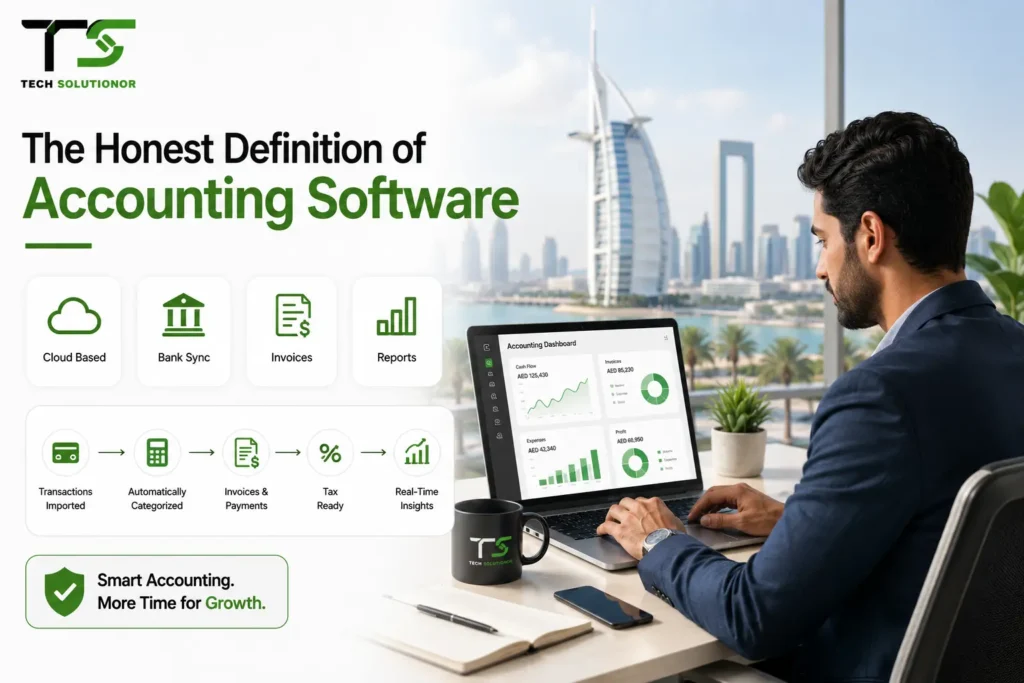
At its core, accounting software is a digital system that records, organizes and reports a business’s financial transactions, invoices, expenses, payroll, tax filings, all of it, without someone manually re-entering numbers into a dozen different sheets. Early versions were clunky desktop programs.
Today’s accounting software mostly lives in the cloud, syncing with your bank feed, your point-of-sale system and sometimes even your inventory in real time. I’ve sat in on plenty of onboarding calls for clients setting up new systems, mostly from the design side, helping make dashboards less intimidating for non-finance staff.
What struck me is how differently business owners describe the “aha” moment. For some it’s the first time bank reconciliation happens automatically. For others it’s realizing they can finally see cash flow trends without asking their accountant to build a report. It’s worth saying plainly, accounting software isn’t just for large companies with dedicated finance teams.
Some of the biggest gains I’ve seen have been with small operations, a two-person retail shop, a freelance consultancy, a single-location restaurant, where the owner was previously doing bookkeeping at eleven at night after a full day of actual work. The software doesn’t replace good financial judgment, but it does free up the hours that used to go into producing the numbers in the first place.
How Accounting Software Actually Works
Most modern accounting platforms follow a similar structure, even if the interface looks different. Transactions get pulled in from connected bank accounts or entered manually. The software categorizes them, often using rules you set up once and rarely touch again. From there, it generates invoices, tracks who owes what, calculates tax obligations and produces reports that used to take a bookkeeper hours to compile by hand.
The better platforms also connect to other business tools, your POS system for retail sales data, payroll software and sometimes your website’s payment gateway. That connectivity is honestly where most of the real time savings come from, not the accounting features themselves.
Key Benefits of Accounting Software for Growing Businesses
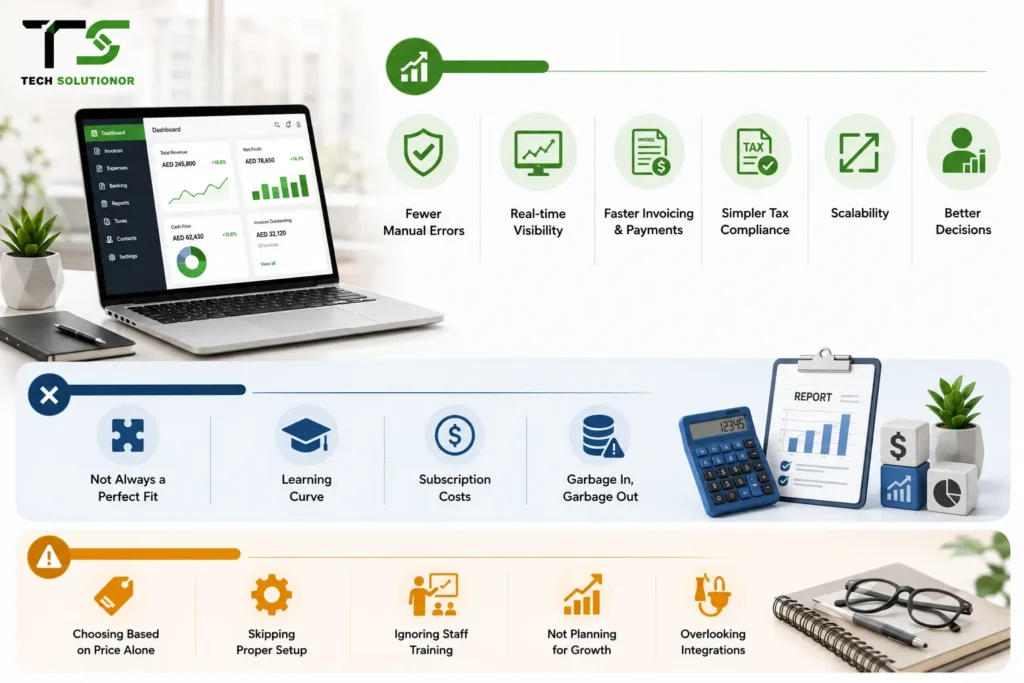
- Fewer manual errors. Automated calculations remove the typo-driven mistakes that spreadsheets are famous for
- Real-time financial visibility. You see cash flow and profitability today, not three weeks after your bookkeeper catches up
- Faster invoicing and payments. Automated reminders alone can shave weeks off your average payment collection time
- Simpler tax compliance. Reports that used to take days can be generated in minutes, which matters even more with UAE VAT and corporate tax requirements
- Scalability. A system that handles ten transactions a month can usually handle ten thousand without you rebuilding your whole process
- Better decision-making. Owners who can actually see their numbers make faster, more confident calls about hiring, spending and growth
Disadvantages and Limitations Worth Knowing
I won’t pretend accounting software solves everything. A few honest limitations:
Off-the-shelf platforms sometimes don’t fit unusual business models well, a subscription box company and a construction firm don’t track revenue the same way and generic software can force awkward workarounds.
There’s also a learning curve, usually smaller than people fear, but real nonetheless. Subscription costs add up over time, especially once you add payroll or multi-currency modules. And software is only as good as the data going into it, garbage in still means garbage out, no matter how polished the dashboard looks.
Common Mistakes Businesses Make
Choosing based on price alone. The cheapest plan often lacks features you’ll need within six months, forcing a painful migration later. Skipping proper setup. Rushing through the chart of accounts setup creates messy reports for years afterward. It’s tedious, but worth doing right the first time.
Ignoring staff training. Even intuitive software gets misused if the team never learns the actual workflow, leading to duplicate entries and reconciliation headaches. Not planning for growth. Picking a system that fits today’s transaction volume, without checking whether it scales, is one of the most common regrets I hear from business owners two years in.
Overlooking integration needs. Software that doesn’t talk to your other business tools creates the same manual data entry you were trying to eliminate.
Best Practices and Expert Tips From a Design Perspective
Here’s where my UI/UX background actually comes in useful for a topic that isn’t design at all. I’ve reviewed dozens of accounting dashboards over the years, helping non-technical teams actually use the software they paid for and the pattern is consistent: adoption fails when the interface overwhelms the user, not when the underlying accounting logic is wrong.
A few things worth prioritizing:
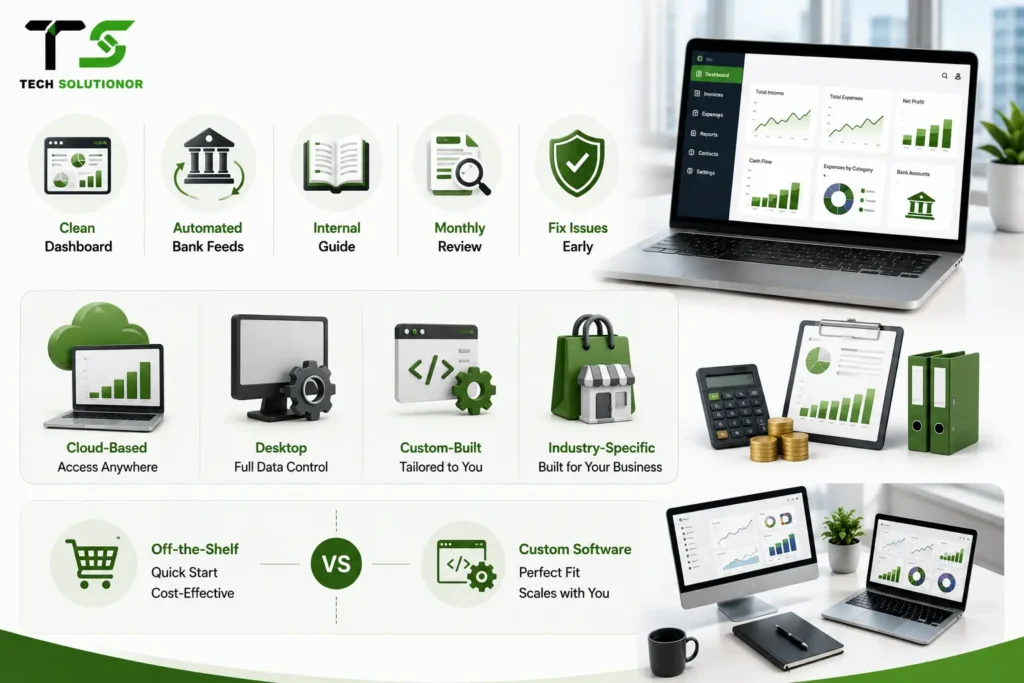
- Choose software with a genuinely clean dashboard, if your team avoids opening it, you’ve lost most of the benefit
- Set up automated bank feeds from day one, manual reconciliation defeats half the purpose of modern software
- Build a simple internal guide for your team’s specific workflow, generic tutorials rarely match how your business actually operates
- Review your reports monthly, not just at year-end, small issues are cheap to fix early and expensive to fix late
Types of Accounting Software Compared
| Type | Best For | Trade-Off |
| Cloud-based (SaaS) | Growing businesses needing remote access and automatic updates | Ongoing subscription, dependent on internet connection |
| Desktop-installed | Businesses wanting full local data control | Less flexible for remote teams, manual updates |
| Custom-built | Companies with unique workflows or industry-specific needs | Longer setup time, requires a development partner |
| Industry-specific (retail, construction, etc.) | Businesses needing built-in compliance or reporting for their sector | May lack flexibility outside that specific use case |
Off-the-Shelf vs Custom Accounting Software
Most small businesses start with off-the-shelf platforms and honestly, that’s usually the right call early on. But as operations get more complex, multiple branches, unusual billing cycles, industry-specific compliance, generic software starts showing its limits.
That’s when working with a team offering software development in Dubai to build a tailored solution starts making financial sense, since a custom system can integrate directly with your existing tools instead of forcing your business to adapt around someone else’s assumptions.
We’ve seen this exact pattern with clients who outgrew their original platform. A well-planned custom build, guided by proper web development practices for any client-facing dashboard, tends to pay for itself once you factor in the hours saved from workarounds and manual fixes.
UAE-Specific Considerations
Running accounting software in the UAE comes with a few extra layers that businesses elsewhere don’t need to think about as closely.
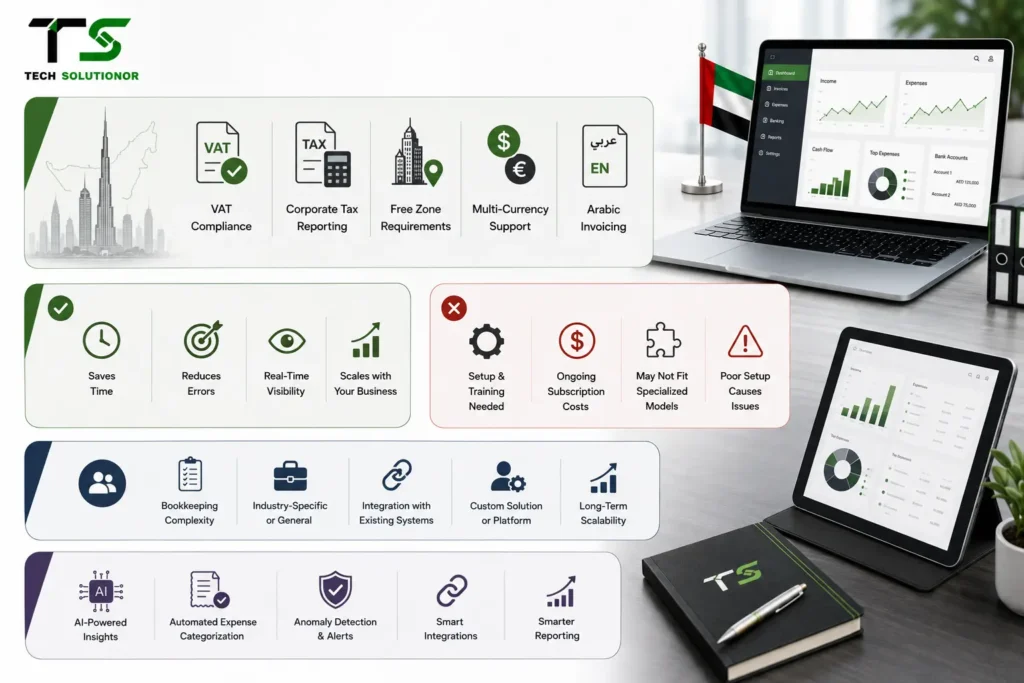
- VAT compliance is non-negotiable: Your software needs to handle UAE VAT reporting accurately, since manual VAT calculation invites costly mistakes
- Corporate tax reporting matters now too: With UAE corporate tax requirements in place, software that generates audit-ready reports saves real time during filing season
- Free zone businesses have specific needs: Companies operating across free zones and mainland UAE often need software that separates and reports on each correctly
- Multi-currency support helps: Many UAE businesses deal with international clients, so software handling multiple currencies smoothly avoids constant manual conversion
- Arabic invoicing can matter: Some clients expect bilingual invoices and software supporting this natively saves a surprising amount of back-and-forth
Pros and Cons
Pros:
- Saves significant time compared to manual bookkeeping
- Reduces costly human error in calculations and reporting
- Gives owners real-time visibility into business health
- Scales with the business instead of requiring a full system overhaul later
Cons:
- Requires upfront setup time and staff training
- Ongoing subscription costs for cloud-based platforms
- Generic software may not fit unusual or highly specialized business models
- Poor initial setup can create long-term reporting headaches
Client Decision-Making Factors
Businesses choosing accounting software usually weigh these factors most heavily:
- How complex their current bookkeeping process already is
- Whether they need industry-specific features or general-purpose tools
- How well the software integrates with existing business systems
- Whether their team needs a custom-built solution or an established platform
- Long-term scalability as transaction volume and business complexity grow
Industry Trends and the Future of Accounting Software
AI is quietly reshaping this space faster than most people realize. Predictive cash flow tools, automated expense categorization and anomaly detection that flags unusual transactions before they become real problems are becoming standard rather than premium add-ons. This mirrors what we’re seeing across the broader tech landscape, our piece on how AI is changing web development covers a similar shift happening in how digital tools get built and maintained.
Integration is another big trend. Businesses increasingly expect their accounting platform to talk to their website, their digital marketing tools and their sales channels without manual exports and imports between systems. The businesses that plan for this connected approach early tend to scale with far less friction later.
I’d also add that the reporting side is getting genuinely smarter, not just faster. A few years ago, most accounting software could tell you what happened last month. Now, decent platforms can flag that your expenses in a specific category are trending upward before it becomes a real problem, which is a meaningfully different kind of value than simple record-keeping.
FAQs
What does accounting software actually do for a small business?
It automates invoicing, expense tracking, tax calculations and financial reporting, replacing manual spreadsheets. This reduces errors, saves time and gives owners real-time visibility into cash flow and profitability without waiting on manual bookkeeping updates.
Is off-the-shelf accounting software enough for a growing business?
It often works well early on, but businesses with unique workflows or multiple revenue streams sometimes outgrow generic platforms. At that point, custom software development becomes worth considering for better long-term fit.
How does UAE VAT affect accounting software choices?
UAE VAT compliance requires accurate, automated tax calculation and reporting features. Software without proper VAT handling risks costly filing errors, making this one of the most important features to check before choosing a platform.
Can accounting software integrate with other business tools?
Yes, most modern platforms connect with POS systems, payroll tools and e-commerce platforms. This integration eliminates duplicate manual entry and gives a more complete, real-time picture of overall business performance.
When should a business consider custom accounting software?
Once generic platforms can’t handle specific workflows, multi-branch operations or industry compliance needs, custom-built software usually becomes the more practical long-term option, despite the higher initial setup investment.
Conclusion
Looking back at those years of spreadsheet chaos, the real lesson wasn’t that I needed better numbers, it was that I needed a system that didn’t require me to be the one holding it all together. Good accounting software does exactly that for a growing business, quietly removing friction so owners can actually focus on growth instead of chasing receipts.
If your current setup feels like it’s held together with tape, it might be time to talk to a team about proper software development built around how your business actually works. Ready to build something that fits your business instead of forcing your business to fit generic software? Reach out to our team and we’ll talk through what that could look like.